zoom dropping? internet not working? call in codex. in May I saw this:
 CJ Zafir @cjzafir
 It was a simple /goal to make my internet network faster.
> Diagnosed the issue: ran speedtest-cli first.
> Checked DNS resolution times,
> Checked MTU, packet loss, Wi-Fi signal/interference.
> Found 3 issues.
> Removed stale network locations/profiles.
> Killed or throttled bandwidth-hogging background processes.
> Optimized mDNS.
> Ran before/after speed tests and latency checks.
so I dropped the link into my Codex: can you do that for me?
my work Zoom calls kept dropping. I pay for a gigabit and honestly had no idea how much of it reached my desk, or how to even measure it. nine days later, out came the check-network skill.
Try it yourself
Claude Code:
/plugin marketplace add yermilov/learn-yy-skills
/plugin install home-it@learn-yy-skills
In Codex there’s no command to look up — launch it and just ask: “install the marketplace yermilov/learn-yy-skills and the home-it plugin from it”. It takes it from there.
Or take the single skill into any agent, no marketplace (npx skills supports Claude Code, Codex, Cursor and 60+ others):
npx skills add yermilov/learn-yy-skills --skill check-networkThen just say “use check-network to make my home network faster”.
What it found
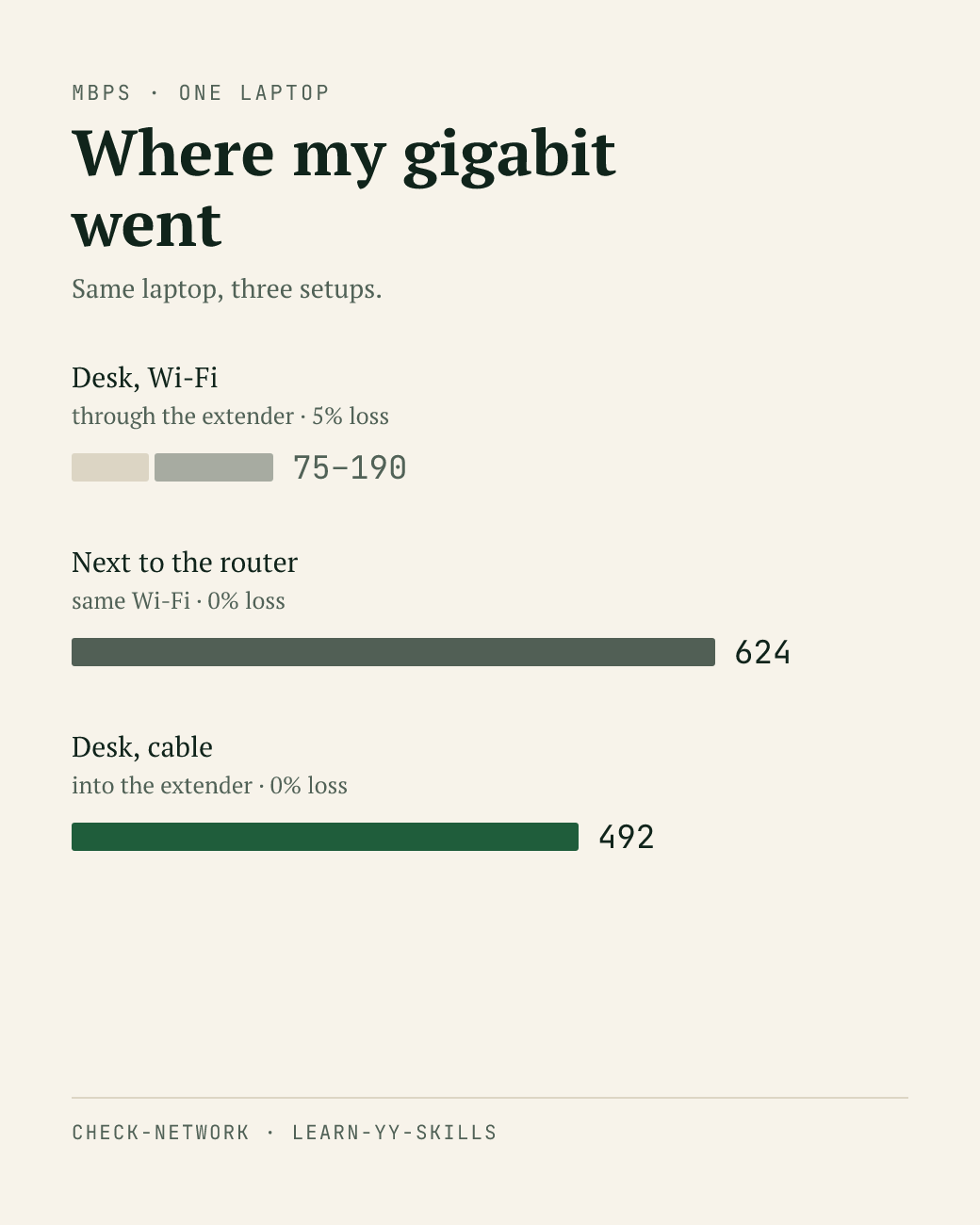
75 Mbps. next run, 190. then eighty-something again. at my desk the speed just jumped from run to run.
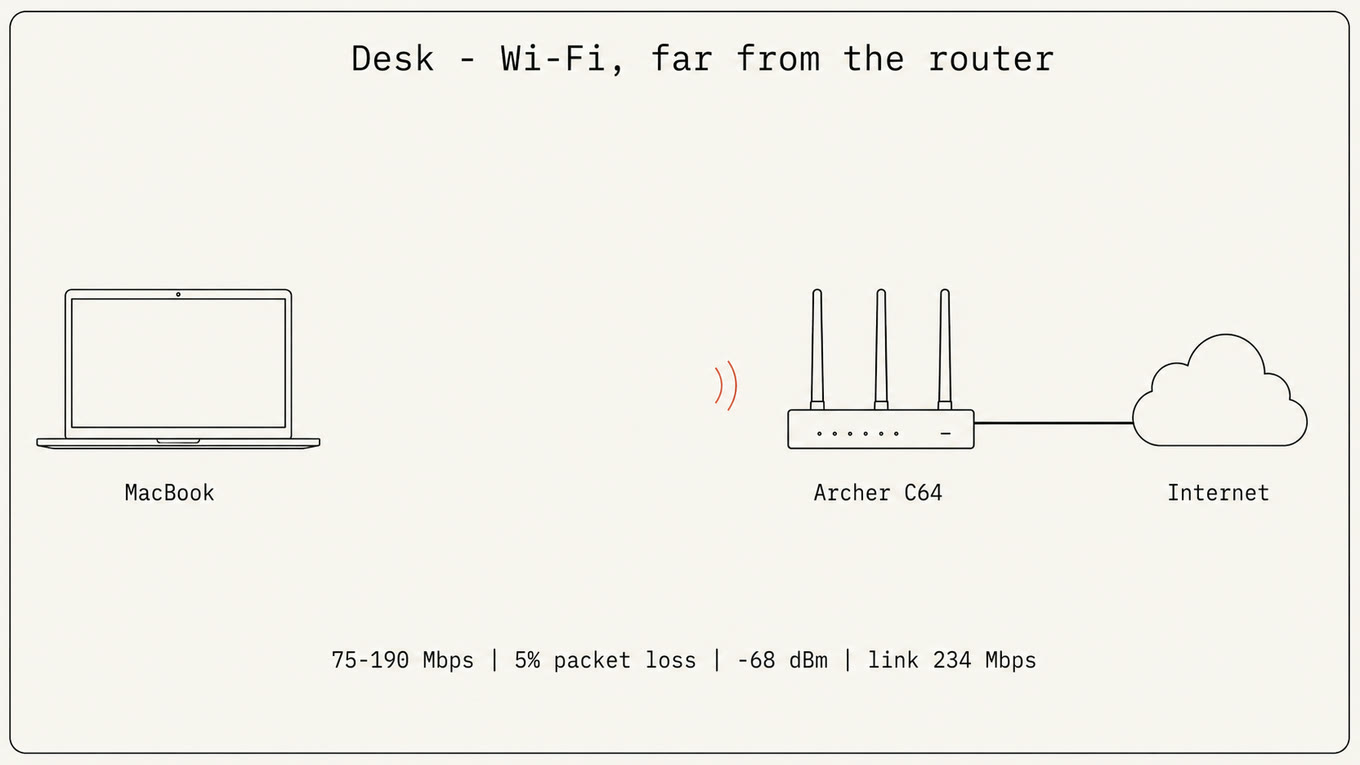
the full checklist: speedtest, DNS, MTU, packet loss, Wi-Fi signal, background processes. half these words I don’t know, but vibe it! the agent ruled out the usual suspects one by one. plan’s already top tier. DNS answers in 10 ms. MTU fine, zero interface errors. but the ping to my own router was dropping 5% of packets — and that ended the hunt. if packets die inside the apartment, the ISP has nothing to do with it.
the cause was distance. nothing exotic: the laptop was talking straight to the router, just across the whole apartment. −68 dBm, link topped out at 234 Mbps — four times below my plan. the gigabit never reached my desk at all.
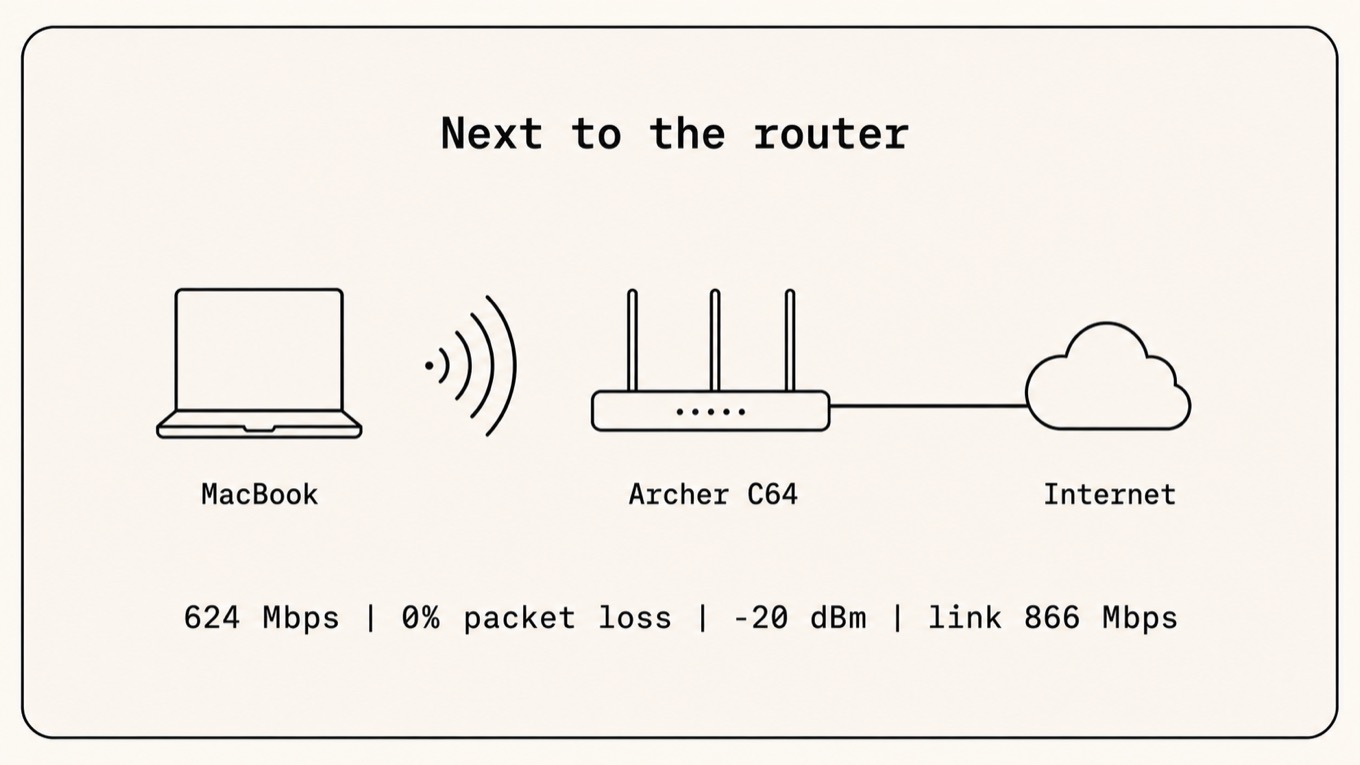
cheapest test in the world: pick up the laptop and walk five meters to the router. −20 dBm instead of −68, an 866 Mbps link, 624 Mbps, zero loss.
the one thing the agent can’t do yet is physically carry the laptop closer to the router on its own two feet. but it can open the router’s admin panel in the browser and mess with the settings itself. and it did: Archer C64, Wireless section, flipping options right there and running networkQuality between each change. Smart Connect off: 611 vs 612 Mbps. “cleaner” channels by hand: 398 on channel 36, 418 on channel 44 — and a re-run on auto in the same session gave 382. one flat band of noise: the channel decides nothing.
I asked an LLM council (ChatGPT + Gemini) whether to buy a second extender for the desk. both ranked it last: an extender that’s itself on Wi-Fi halves the bandwidth — one hand holding the link to the router, the other to the laptop. the right fix is a cable from the router to the desk with the extender in access-point mode.
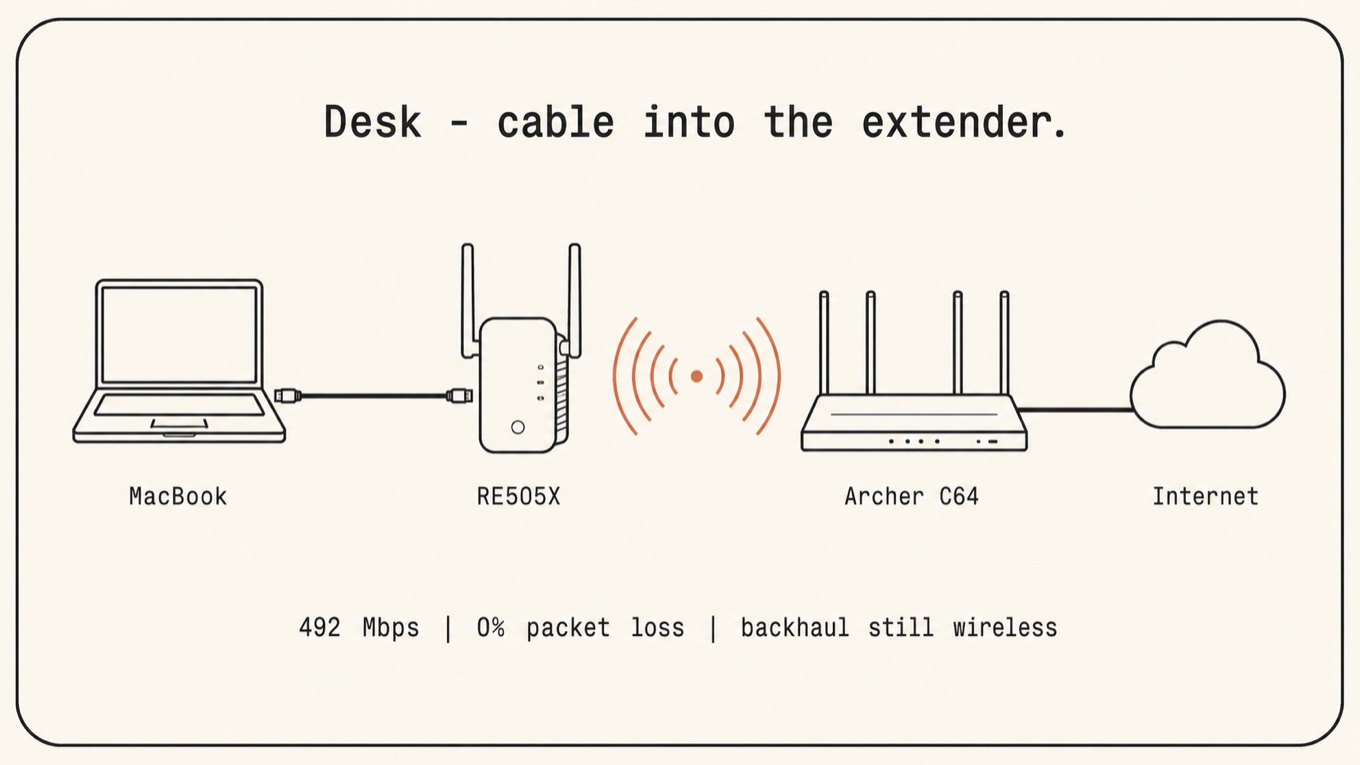
I never ran that cable. plugged the Mac into the extender’s gigabit port — the same extender still hanging off a wireless backhaul — so about 80% of the fix. 492 Mbps, zero loss. but it was beautiful!